You can purchase BankTree Personal Finance desktop, from our online order form or from the application splash screen.
You can purchase BankTree Personal Finance online, after logging into the web application and clicking the Subscription link.
To purchase a copy of the BankTree Personal Finance desktop software from the splash screen, you first need to install the trial application on to your PC.
- Click Here to download the free trial version.
- Install and run the application on to your computer.
- To register the full version, at the registration screen, press the Buy Now button.
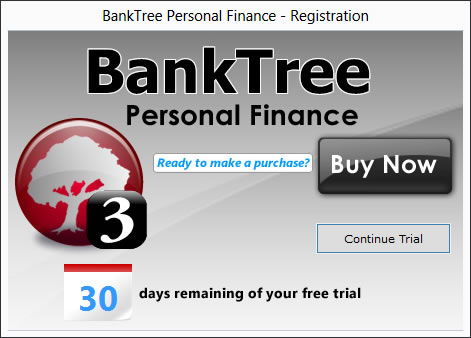
- Fill in your registration details.
- Click Next to see the order page (this will open in your web browser).
- On the order page select STRIPE, whereby you will be taken their payment pages to complete your purchase.
- On verifying your payment the software will become registered, giving you instant access to use the software.
We will provide you with free email support, and free updates, and bug fixes to the current version of BankTree Personal Finance version 3.0. You can install the software on one computer. Any additional installations are charged at just £5.00 per computer. If you have any problems please see our updated support pages where you can also contact us by submitting a support ticket.
To see a full list of features available please go to the BankTree Personal Finance product page.
Our software is compatible with Microsoft Windows 7, and Windows 8, Windows 10, Windows 11
Prices are charged on the Order Page, according to your country of residence. Currently this is £35 for UK residence, EUR 42 for European residence, and $48 for US and other countries.


